New job9:42 pm
Sarah K.
0412 345 678
Hot water's gone cold, unit is leaking from the bottom.
12 Example St, Coburg. Wants tomorrow morning.
JobGuard answers your customers the moment they reach out, on your website or by text when you miss a call. It gets their name, number, address, photos and what's wrong, and sends the job straight to your phone. Then plan your day and send the invoice, all in one app.
When you can't pick up, customers don't wait. They ring the next tradie on Google.
calls to Australian small businesses go unanswered.
of those calls are from first-time callers, new customers who won't wait around.
Source: AIIMS Group, Australian SME Lead Response Report, 2026, an analysis of 207,000+ calls to 858 businesses. Read the report coverage
Move the sliders to match your business. It's a rough guide, but most tradies are surprised.
You could be losing about
a month, from 6.5 jobs that went to someone else.
Win back one job and it's paid for itself 7 times over.
See plansMiss a call and JobGuard texts the customer straight back. It chats with them by text, the same way it does on a website, and sends you the job as a text message.
Example messages. Names and numbers are made up.
Set up in a day. You don't have to touch any tech.
Your services, prices, hours and the suburbs you cover. Fill in the form below and we'll do the rest.
We add a chat button to your website. No website? We set up missed-call text back on your mobile instead, so customers can chat by text.
Every enquiry arrives with the customer's name, number, address, photos and what's wrong, ready to call back.
This is a real JobGuard assistant, set up for a demo plumbing business. Chat to it the way your customers would.
JobGuard catches the job, then helps you plan it, do it and get paid for it. It's all in one app on your phone, and we set it up for you.
Catch the job
Plan the day
Do the job
Get paid
Add JobGuard to your phone's home screen and it works like any other app. You get a notification the moment a new job comes in, even when the app is closed. No app store needed.
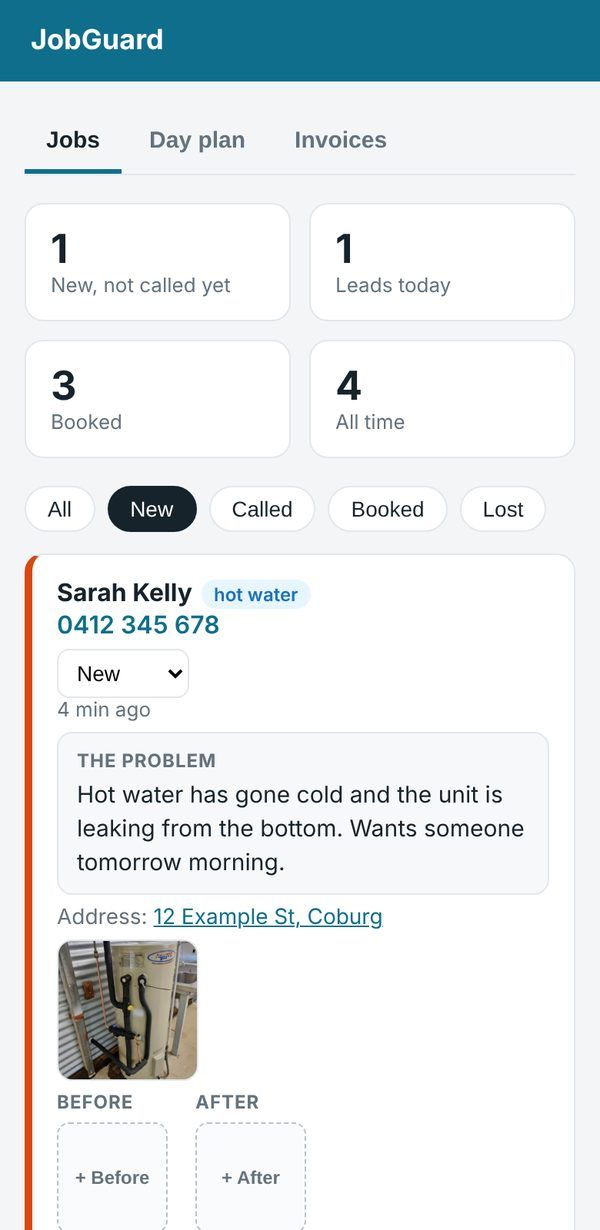
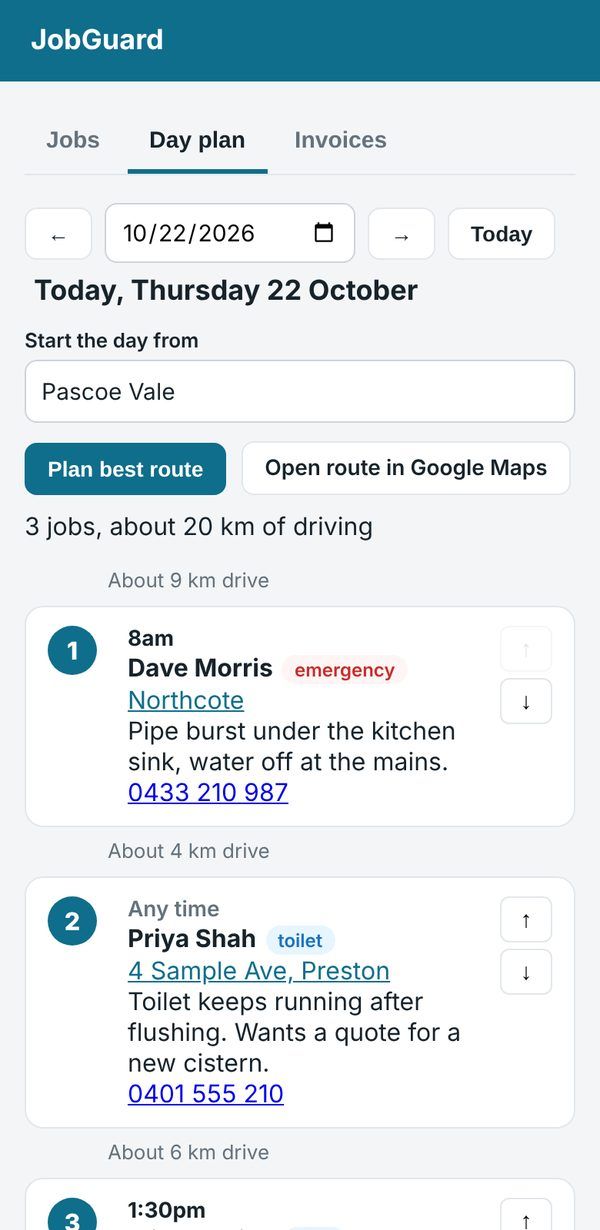
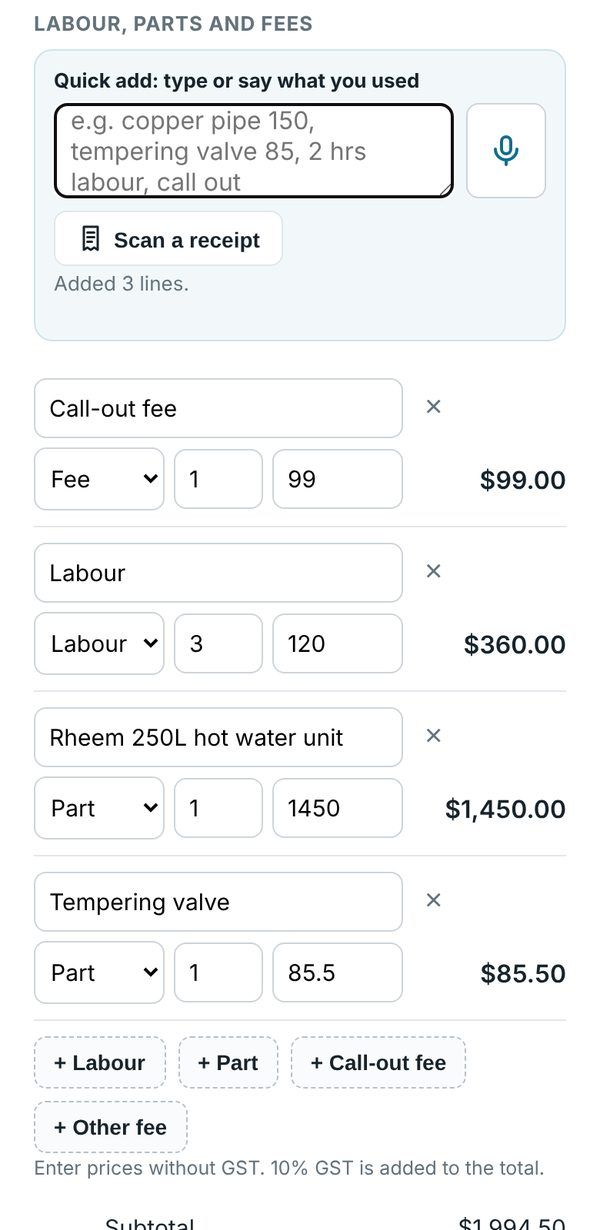
Real screens from the JobGuard app, with example jobs.
| Feature | Voicemail | Answering service | JobGuard |
|---|---|---|---|
| Replies to the customer straight away | No | Yes | Yes |
| Works nights and weekends | Yes | Often extra cost | Yes |
| Knows your prices, hours and areas | No | Sometimes | Yes |
| Gets the address and photos | No | Rarely | Yes |
| Sends you the full job | No | Sometimes | Yes |
| Plans your day's driving route | No | No | Yes |
| Sends invoices with PayID | No | No | Yes |
| Cost | Free, but callers hang up | Per-call or monthly fees | From $50 a month |
One extra job a month and it's paid for itself.
Our first 20 tradies get 15% off every month, for as long as they stay with JobGuard.
For owner-operators.
Founding member price
For small teams with a few vans.
Founding member price
If JobGuard isn't right for your business in the first 30 days, tell us and we'll refund you in full. No forms, no hassle.
I'm Alex. I built JobGuard after seeing how many good jobs local tradies lose just because they're busy doing the work. You're not signing up to a faceless app: I set every account up personally, and if something's not right, you can text me.
No. When you miss a call, JobGuard texts the customer straight back and chats with them by text, then texts you the job. If you'd like, you can also get your own JobGuard chat page to share on your Google listing, Facebook page or a QR code on the ute.
No. It only answers from the information you give us: your prices, services, hours and areas. If a customer asks something it doesn't know, it takes their details so you can call them back.
Usually a day. You tell us about your business, we set it up, and send you a link to try it before it goes live.
You get a notification on your phone the moment a new job comes in, with the customer's name, number, problem and address. Every job is saved in your JobGuard app, where you can see the photos, book it in for a day and send the invoice when you're done.
Yes. Create an invoice from any job in about a minute: type or say what you used, or scan your Bunnings or Reece receipt and the parts are filled in for you. Customers pay by PayID or bank transfer, deposits come off the final invoice automatically, and you can export everything for Xero, MYOB or your accountant.
Yes. Open JobGuard on your phone and add it to your home screen. It works like any other app, with notifications for new jobs, and there's nothing to download from an app store. We'll set it up with you.
No. You keep your normal number. We set your phone to pass unanswered calls to JobGuard, which then texts the caller back. Most Australian phone plans support this, and we'll walk you through it.
No. The demo is set up for a plumber, but JobGuard works for electricians, builders, landscapers and other trades. We set it up with your services.
They're stored securely and only you can see them. We never sell or share your customers' information.
You're covered by our 30-day money-back guarantee. If JobGuard isn't right for your business in your first 30 days, tell us and we'll refund you in full.
No. It's month to month, and you can cancel any time.
Takes under a minute. We'll call you within one business day to set up your prices, services and areas.
We'll text or call you within one business day to set up JobGuard for your business. In the meantime, have a play with the live demo.